Why crawler hit/miss data matters
Search and AI crawlers are now a major share of the traffic that decides whether you get indexed, ranked, and cited. Googlebot and Bingbot drive classic SEO. A new wave of GEO (Generative Engine Optimization) crawlers (GPTBot, ClaudeBot, PerplexityBot, Google-Extended and others) decide whether your content makes it into AI answers.
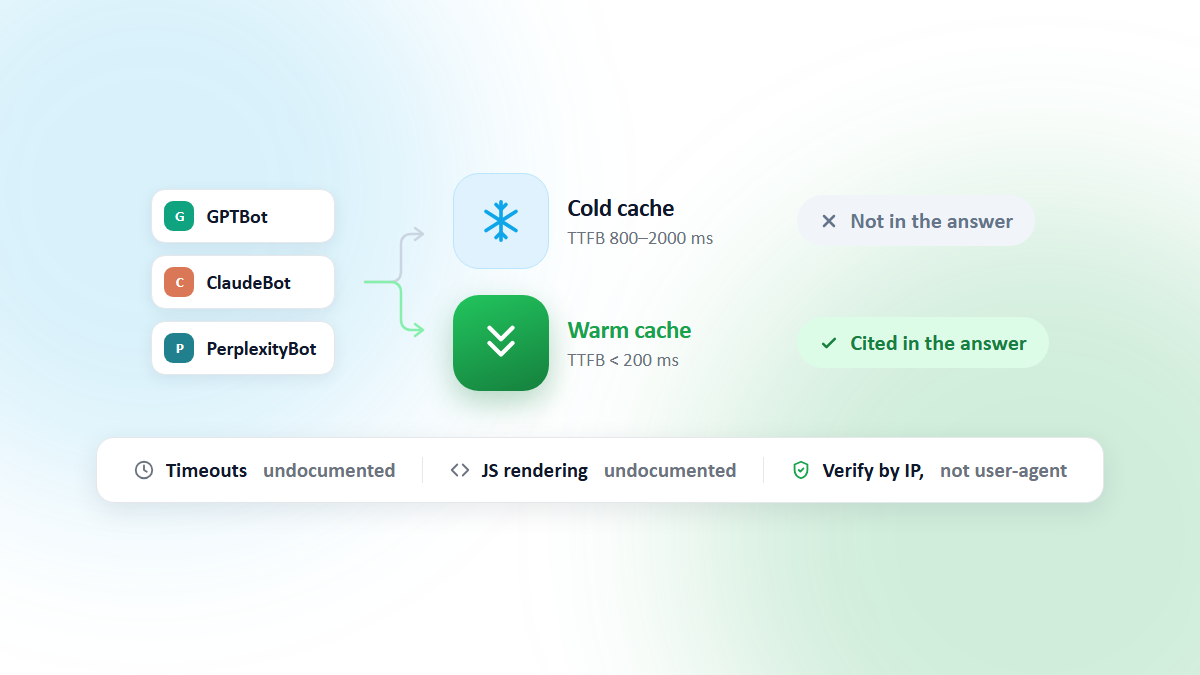
There's a catch: when those crawlers hit a cold cache, they get a slow response from your origin. For Google, a slow server measurably reduces how much gets crawled. For AI assistants, the stakes are more immediate: ChatGPT-User, Claude-User and Perplexity-User fetch your page while someone is waiting for an answer, and none of these vendors documents how long they're willing to wait. We covered what is and isn't documented in How AI Crawlers Handle Slow and Cold Pages.
Knowing which crawlers hit your cache, and whether they got a HIT or a MISS, is the difference between guessing and managing.
Why your overall hit ratio isn't enough
Most dashboards give you one cache hit ratio for all traffic. That number is dominated by human visitors, who concentrate on your popular pages and rebuild the cache on their own within minutes of a purge.
Crawlers behave differently, in two ways that both work against you:
- They go deep. A crawler walks your long tail: old articles, category page 14, product variants nobody has viewed this week. Those pages are the least likely to be in cache.
- They arrive on their own schedule. You don't control when GPTBot or Googlebot shows up, so a share of their requests inevitably lands in the window right after a deploy or a purge, before organic traffic has warmed anything back up.
The result is common and invisible: a site can show a healthy 92% hit ratio overall while its AI crawlers are getting a MISS on half their requests. You only see it if you split the ratio by crawler.
What we built
CacheBoost now has a Crawlers page on every site. Here's what it looks like on our own site, cache-boost.com, over the last 7 days:
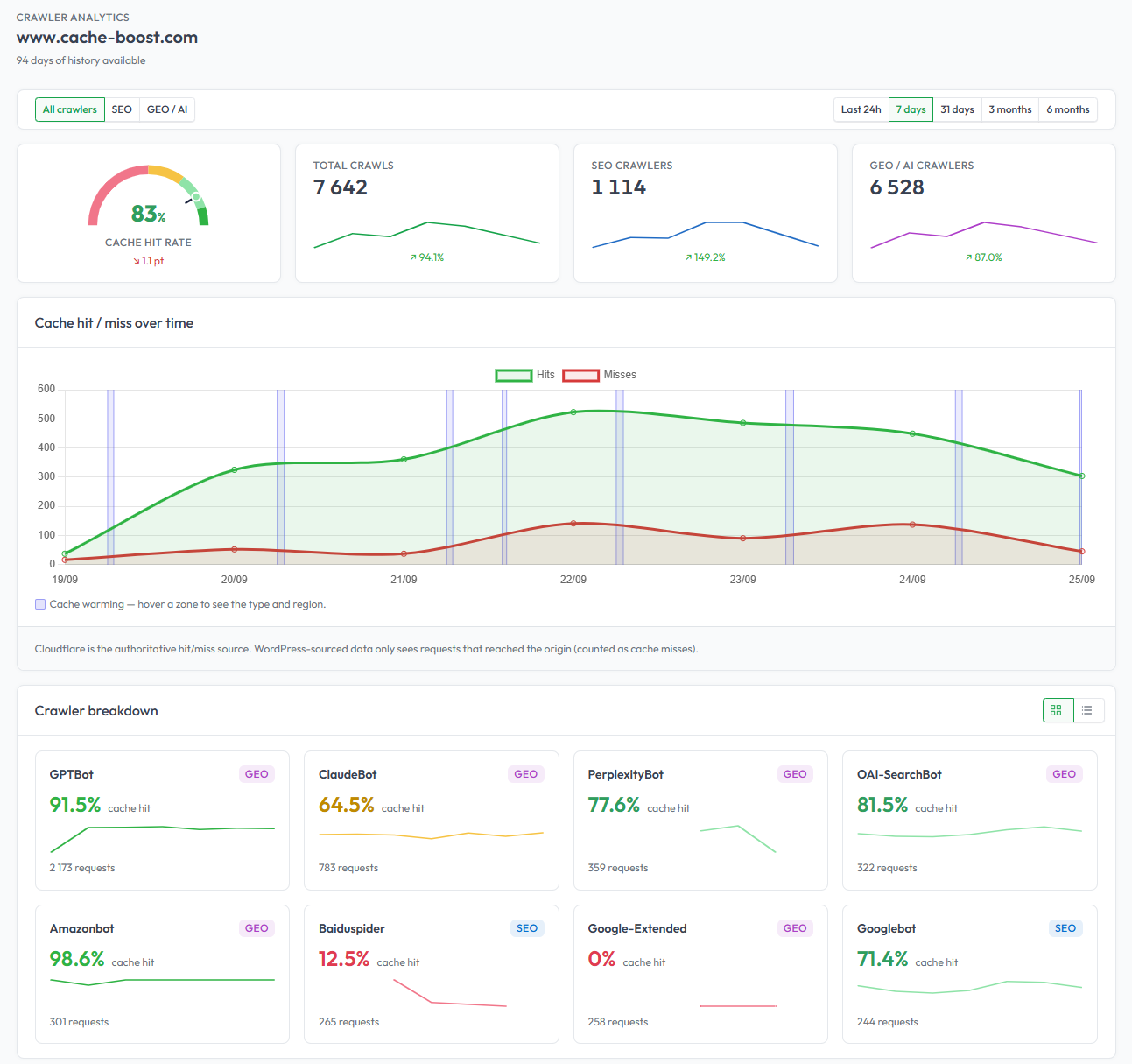
It shows:
- Headline numbers: overall cache hit rate, total crawls, and the SEO/GEO split, each with its trend.
- Cache hits and misses over time, from the last 24 hours up to 6 months, with your warming runs shaded on the chart so you can see what each one did to the miss rate.
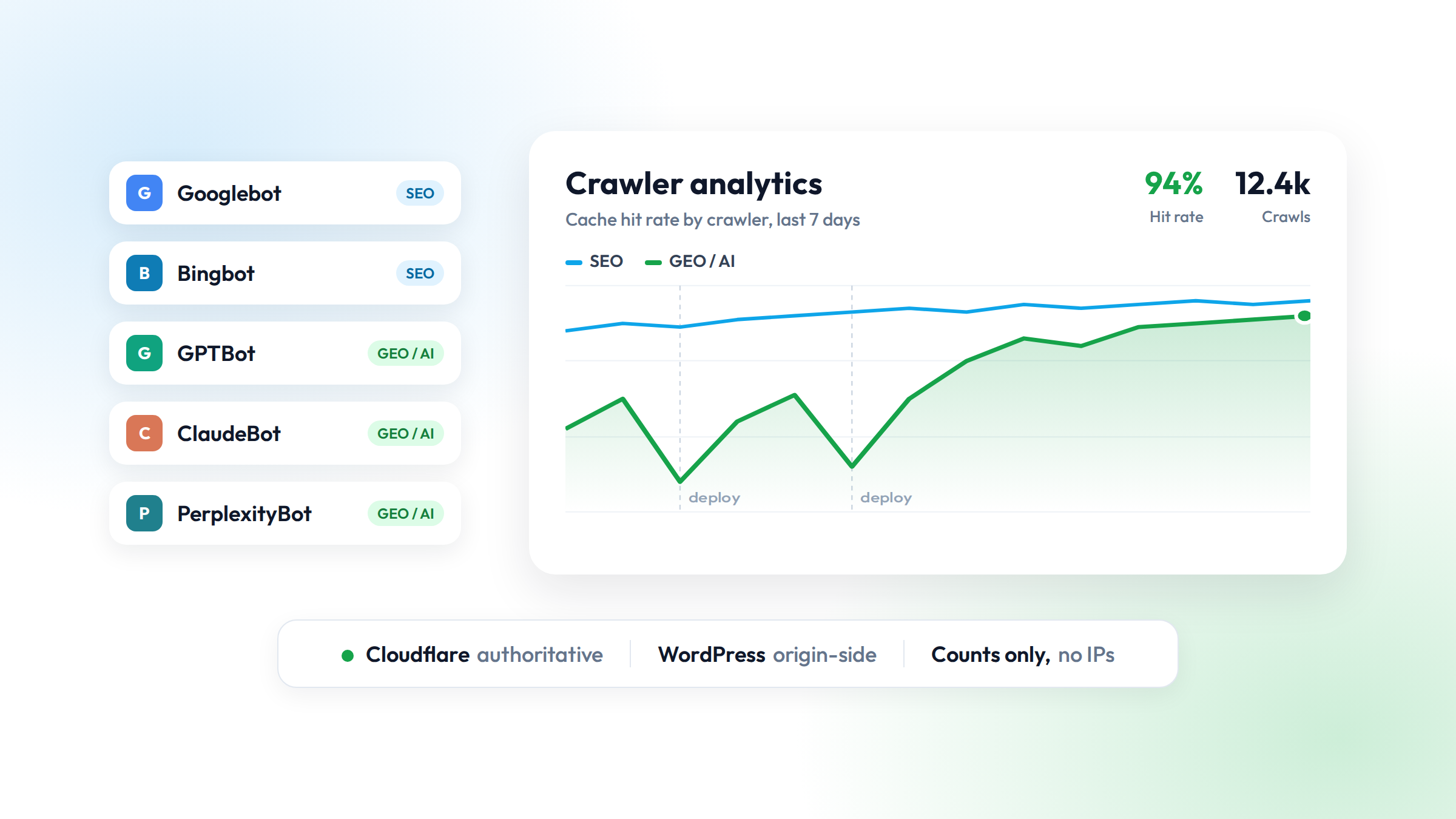
- A per-crawler breakdown: hit rate and request count for each bot, tagged SEO (Googlebot, Bingbot, Baiduspider…) or GEO/AI (GPTBot, ClaudeBot, PerplexityBot, OAI-SearchBot, Amazonbot…).
- Filters to look at all crawlers, SEO only, or GEO/AI only.
Even on our own site the breakdown is instructive: with an 83% hit rate overall, GPTBot gets a cached page 91.5% of the time but ClaudeBot only 64.5%. Same site, same cache, very different experience depending on who is crawling.
It unifies two data sources behind one view.
Cloudflare: the authoritative source
If your site is on Cloudflare, you connect a read-only API token (created from a scoped token template with Zone > Analytics > Read, Account > Account Analytics > Read and Zone > Zone > Read). CacheBoost polls Cloudflare's GraphQL Analytics API every hour and reads the real edge cache status for every crawler request. This is the authoritative hit/miss signal because Cloudflare sees the requests your origin never does, the ones served straight from cache.
There's a one-click verification ping: we fetch your homepage as GPTBot and confirm it shows up in your analytics.
WordPress: origin-side detection
No Cloudflare? The CacheBoost Warmer WordPress plugin detects crawler user-agents at the origin and reports them to your dashboard. One honest caveat: a request that reaches WordPress has, by definition, already missed your full-page cache, so the WordPress source is best read as "which bots reached my origin," while Cloudflare remains the source of truth for the true hit rate.
That origin view is still useful on its own. If the number of GPTBot requests reaching WordPress jumps every night at 3am, you have found your cold window (often an overnight auto-update that purged the cache) without needing a CDN at all.
Why classifying by user-agent is fine here
User-agent strings can be spoofed, and for anything where you trust a crawler's identity (allowing, blocking, rate-limiting) you should verify it against the IP ranges each vendor publishes. For measuring hit ratios, user-agent classification is the right tool: nobody gains anything by faking a GPTBot header to distort your chart, so a misattributed request is noise, not risk. That's the trade-off the Crawlers page makes.
How to read the charts
Once a few days of data are in, look for these four patterns.
1. GEO hit rate well below SEO hit rate. This is the most common finding. Googlebot has been crawling your site for years and tends to revisit popular pages; AI crawlers are newer, go wider, and arrive in bursts. If the gap is large, warm the pages they actually request, not just your top 100.
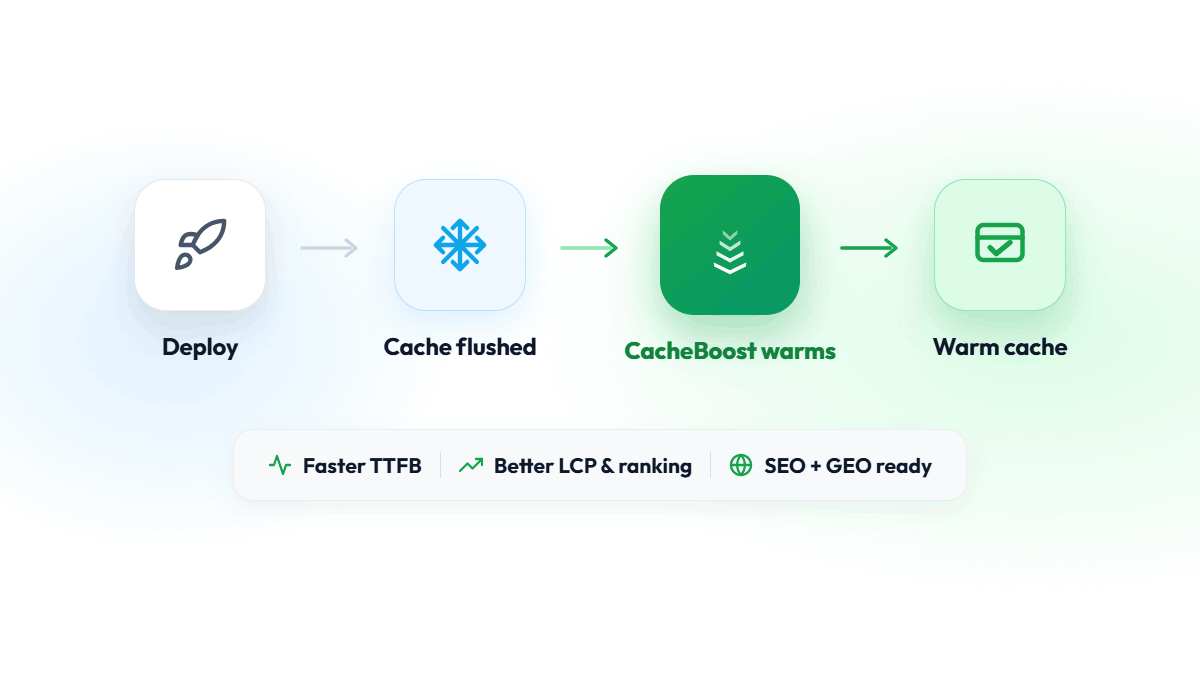
2. Dips that line up with deploys or purges. A sawtooth pattern (hit rate drops sharply, then climbs back over several hours) means every flush opens a cold window that crawlers fall into. The fix is to make warming the last step of the deploy: see Cache Warming as the Last Step of Your Deploy Pipeline.
3. Low hit rate everywhere, for every crawler, all the time. This is not a warming problem, it's a cacheability problem. If the pages aren't cacheable in the first place (a Set-Cookie on every response, Cache-Control: private, a Cloudflare rule that bypasses cache for HTML), no amount of warming will produce a HIT. In Cloudflare, a cache status of DYNAMIC or BYPASS is the tell. Fix the caching rules first, then warm.
4. No GEO crawlers at all. Either your robots.txt blocks them, or your WAF is challenging them before they reach the cache. Both may be deliberate. If they aren't, that's a bigger visibility problem than any hit ratio.
As a rough scale for any of these, the same targets apply as for overall traffic:
| Crawler hit ratio | What it means |
|---|---|
| > 90% | Crawlers almost always get a cached page |
| 70–90% | Some cold windows; check the timing of the misses |
| 50–70% | Crawlers regularly hit your origin; warming will pay off quickly |
| < 50% | Check cacheability before anything else |
Closing the loop: from chart to warming
The point of the chart is to change something. Once you know where crawlers miss, the warming side is straightforward:
- Warm the variant crawlers actually receive. If your cache key varies on user-agent (some setups serve bots a separate variant), add a bot or AI-crawler user-agent to your boost's variations. If it doesn't vary, one warm covers everyone and extra variants only spend URLs.
- Warm after every flush, not only on a schedule. Trigger a boost from your deploy pipeline or let the WordPress plugin do it on purge events, then keep a cron schedule as the safety net for TTL expiry.
- Warm from the regions your crawlers come from. Cloudflare caches per location. Crawlers hitting a US edge don't benefit from a cache warmed in Europe.
- Let the warming traffic through. If you warm with bot user-agents, your WAF may challenge requests that claim to be GPTBot from an IP that isn't OpenAI's. Allow CacheBoost's traffic first, or the dashboard reports success while the cache stays cold.
Then come back to the Crawlers page a week later. The miss rate should have dropped, and the sawtooth should have flattened. If it hasn't, the chart tells you which of the four patterns you're still in.
Privacy by design
We store counts only. User-agents are classified into a known crawler name and then discarded; we never persist raw user-agents, URLs, or IP addresses. The charts are built from hourly aggregates.
How to turn it on
Crawler tracking is included on every plan, including the free one.
- Open any validated site and click Crawler analytics.
- Connect Cloudflare (paste your read-only token, pick the zone) or enable crawler tracking in the WordPress plugin.
- Send the verification ping and watch the data flow in.
Related reading: How AI Crawlers Handle Slow and Cold Pages, Why Cache Warming Matters for SEO and GEO, and How to Measure Your Cache Hit Ratio.