The problem with cold cache pages
Cold cache is the state of a page whose cached copy is missing or has just expired. The next request can't be served from cache (the origin has to rebuild the page from scratch (database queries, template rendering, full execution)) which is why the first hit after a flush is so much slower than a cached one.
Every time your cache gets flushed (after a deployment, a content update, or a scheduled expiry), the next visitor hits an uncached page. Your server has to regenerate it from scratch: database queries, template rendering, full PHP execution.
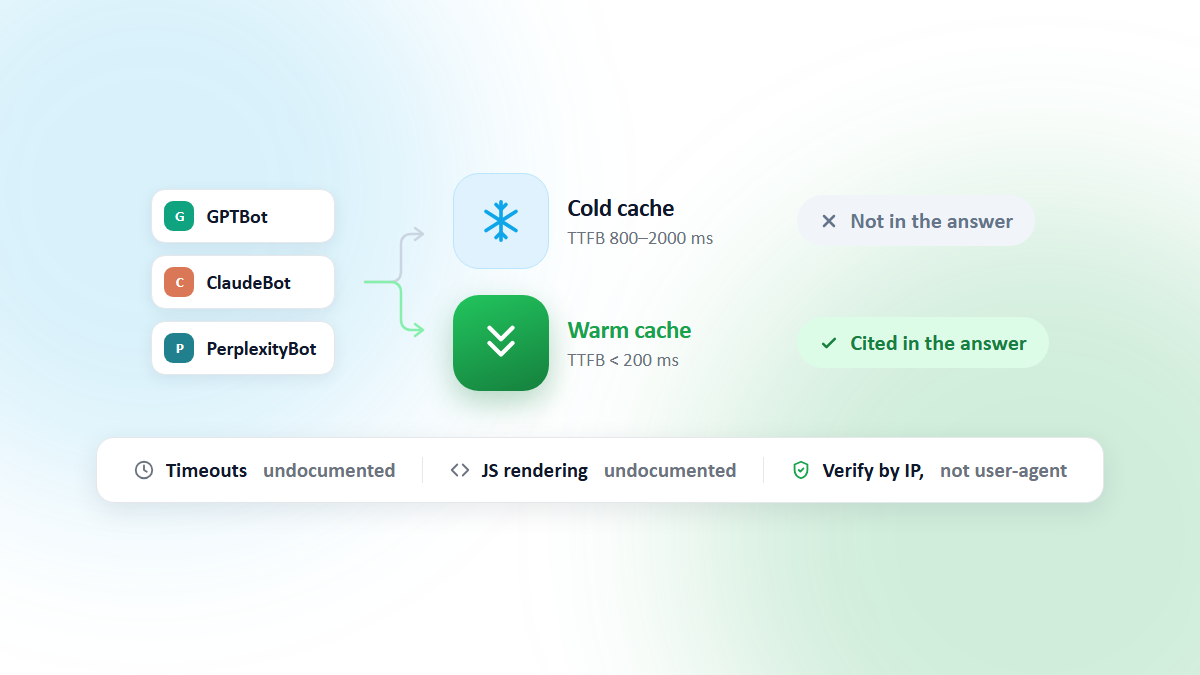
Across the runs CacheBoost executes, a cold-cache response typically returns its first byte in 800 to 2,000 ms, against under 200 ms once the same page is warm. The exact gap depends on your stack, but the shape is always the same: the first hit after a flush is the slow one, and somebody has to pay for it.
This is bad for your users. But it's also bad for your SEO, and for two different reasons that are worth keeping apart.
Why Google cares about TTFB
TTFB (Time to First Byte) is the time between a browser sending an HTTP request and receiving the first byte of the server's response. It measures raw server responsiveness and is the foundation Google's LCP (Largest Contentful Paint) metric is built on, a slow TTFB delays everything that renders after it.
A cold cache reaches Google through two separate mechanisms. They are often blurred together, and they behave very differently.
1. Your users feed the ranking signal
Core Web Vitals, and LCP (Largest Contentful Paint) in particular, are a ranking signal. But the numbers Google ranks on are field data: they come from the Chrome UX Report (CrUX), which aggregates what real Chrome users actually experienced on your site. Googlebot's own fetch times are not what feeds that metric.
So the ranking path runs through your visitors, not the crawler:
Cache flush → a real user hits a MISS → slow TTFB → degraded LCP
            → that sample lands in your CrUX distribution → weaker page experience signal
Every cold hit that a human absorbs is a bad sample in your 75th percentile. Warming means the machine takes that hit instead of a user, so the slow sample never enters CrUX at all.
2. Googlebot's crawl rate reacts to your server
The crawler side is a different mechanism entirely. Google adjusts how hard it crawls you based on how your server responds. From Google's crawl budget documentation: if a site slows down or returns server errors, the crawl limit goes down and Googlebot crawls less; if response times stay stable or improve, the limit goes up and Google uses more connections.
A site that consistently serves cold pages to Googlebot therefore gets fewer pages crawled per day, which means slower discovery of new URLs and staler copies of the ones you just updated. That is a freshness and coverage problem, not a Core Web Vitals problem, and no amount of LCP tuning fixes it.
A note on the conversion numbers
You will often see Akamai's finding that 100 ms of added load time correlated with a 7% drop in conversion rate (State of Online Retail Performance, Spring 2017). It is a good argument for caring about latency, but it is a conversion statistic measured on retail sites, not a ranking one. Use it to justify the work to a business stakeholder, not as evidence about how Google ranks pages.
The cache warming solution
Cache warming is the practice of proactively requesting a site's pages right after a cache flush (before real visitors or crawlers arrive) so every subsequent request is served from a warm cache instead of triggering a slow, uncached rebuild.
Cache warming means pre-loading your pages before visitors (or crawlers) arrive. Instead of waiting for the first request to build the cache, you send a warm-up request to each URL after every flush, filling the cache so that all subsequent requests get the fast, cached version.
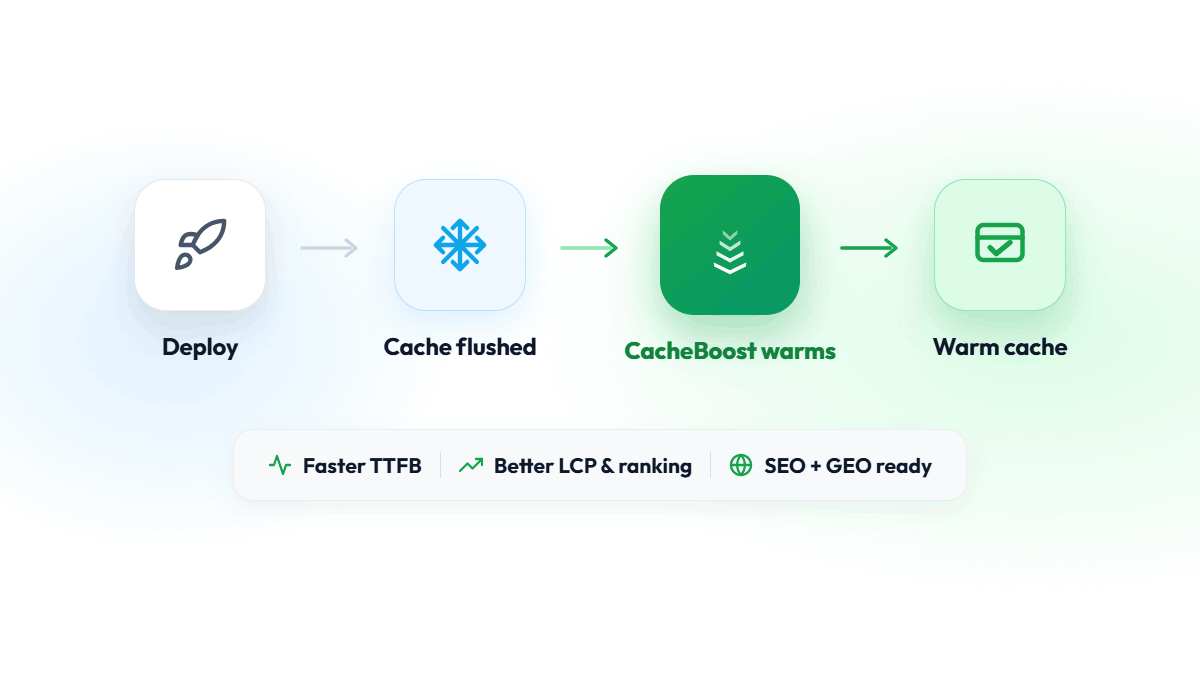
Deploy → Cache flush → CacheBoost warms URLs → First real visitor hits warm cacheWith CacheBoost, this happens automatically:
- You configure a boost pointing at your XML sitemap
- You set a schedule (cron expression) or trigger it via the API after each deploy
- CacheBoost crawls all your URLs from one or more regions, filling the cache
What gets warmed
A typical setup warms:
- All pages listed in your XML sitemap
- Multiple user-agent variants (desktop, mobile, Googlebot, GPTBot), when your cache key actually varies on user-agent
- From multiple geographic regions if you have a CDN
User-agent variants: only if your cache key varies
Warming with a Googlebot or GPTBot user-agent string is only useful if the user-agent is part of your cache key. Check whether your origin sends Vary: User-Agent, or whether your CDN is configured for device-class caching (Cloudflare's mobile redirect, a mobile/desktop split in Varnish, a $device key in Nginx).
If it isn't, every user-agent maps to the same cached object and a single variant warms all of them. Warming four user-agents against a UA-agnostic cache key doesn't make the cache warmer, it just multiplies your URL quota by four.
One more thing to watch: a request claiming to be Googlebot from an IP that fails reverse-DNS verification is exactly what WAF and bot-management products are built to block. If you warm with bot user-agents, whitelist the CacheBoost warming IPs in your WAF first, otherwise your warm-up requests get challenged or dropped and the cache stays cold.
Regional warming: cache is per PoP
A CDN cache is not one cache. It is one cache per point of presence, and a HIT in Paris tells you nothing about Ashburn.
This matters more than it looks, because of where crawlers come from. Google's own documentation on locale-adaptive pages states that the default IP addresses of the Googlebot crawler appear to be based in the USA. Google does also run geo-distributed crawling from non-US IPs, but the US-based default is what most sites see most of the time.
The consequence for a European site behind a CDN: your Paris PoP can be perfectly warm, your French visitors can be getting 100 ms responses, and Googlebot can still be pulling cold pages through a US PoP and measuring your origin at its worst. Warming from a single region hides this completely: the dashboard looks green while the crawler is served from a cold edge.
If your CDN serves several regions, warm from several regions, and make sure one of them sits where your crawlers actually are.
What about AI crawlers (GEO)?
The same cold-cache mechanics apply to GPTBot, ClaudeBot, PerplexityBot and the user-initiated fetchers behind ChatGPT, Claude and Perplexity. But the vendors document far less about their behaviour than Google does, and some of the usual SEO assumptions don't carry over. We covered what is and isn't documented in a dedicated article: How AI Crawlers Handle Slow and Cold Pages.
Measuring the impact
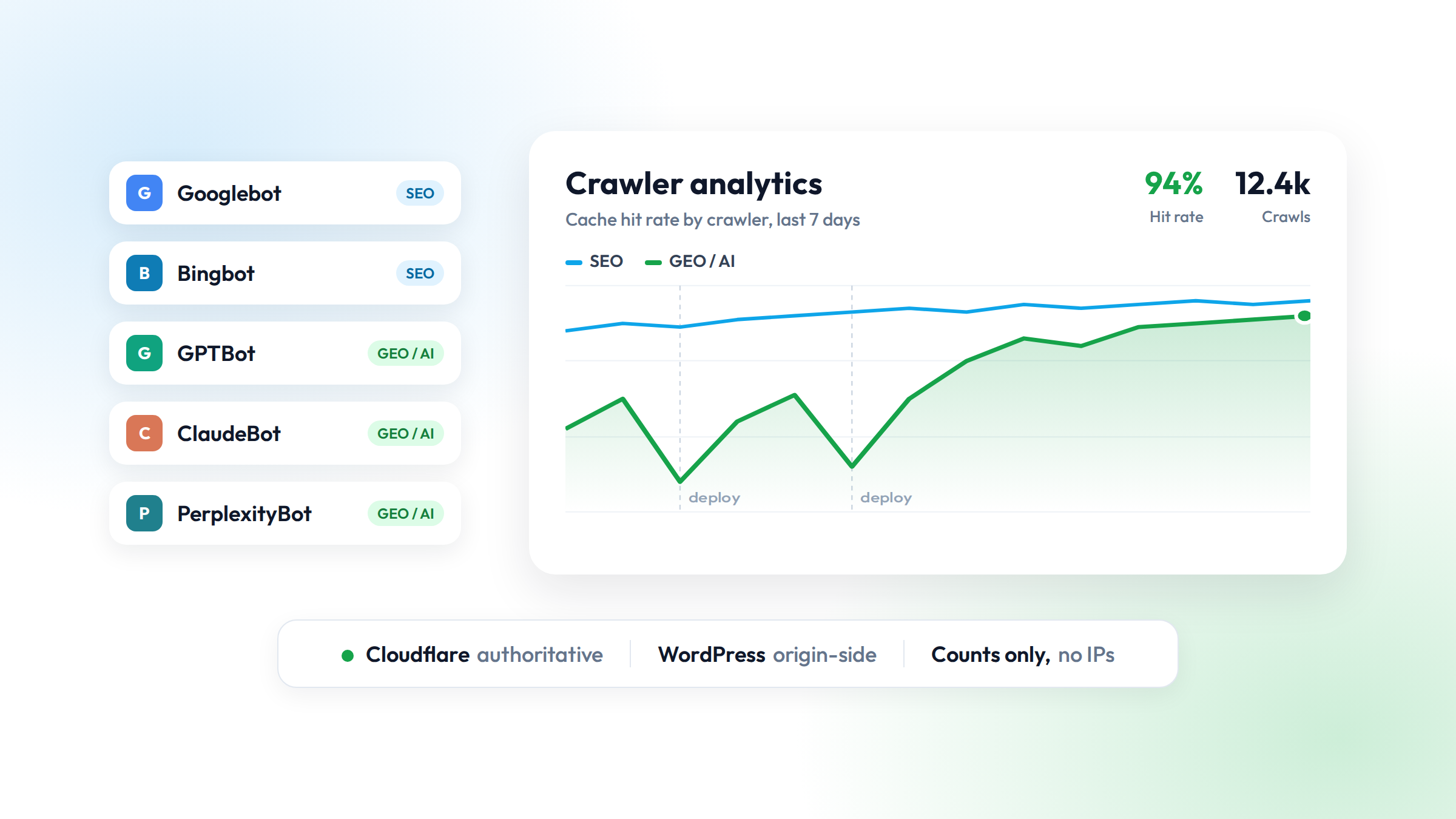
Cache hit ratio is the percentage of requests served directly from cache instead of the origin server. A ratio above 90% means most visitors and crawlers get the fast, cached version of a page instead of triggering a slow rebuild.
After enabling cache warming, here is where each number actually lives:
| What you want | Where to find it |
|---|---|
| Field TTFB (what real users got) | PageSpeed Insights, "Discover what your real users are experiencing" section, or the CrUX API / BigQuery dataset |
| LCP | Search Console, Core Web Vitals report |
| Average response time seen by Googlebot | Search Console, Settings, Crawl stats report |
| Cache hit ratio | Your CDN or reverse proxy dashboard |
A common mistake: the Search Console Page Experience report does not show TTFB. It reports Core Web Vitals status, not server response time. For field TTFB you need CrUX, and for what Googlebot measured you need the Crawl stats report. They are two different numbers from two different populations, and both are worth watching.
Why it takes a few weeks. CrUX is computed over a 28-day rolling window, so a fix you ship today enters the dataset immediately but only fully replaces the old samples after four weeks. Expect the curve to improve gradually rather than step-change, and don't judge the result before the window has turned over.
Crawl stats, by contrast, move within days, so that report is usually the first place you'll see warming pay off.
Getting started
CacheBoost offers a free plan with 500 URLs per month, enough to get started with any small to medium site. Add your sitemap, configure your first boost, and your cache stays warm automatically.