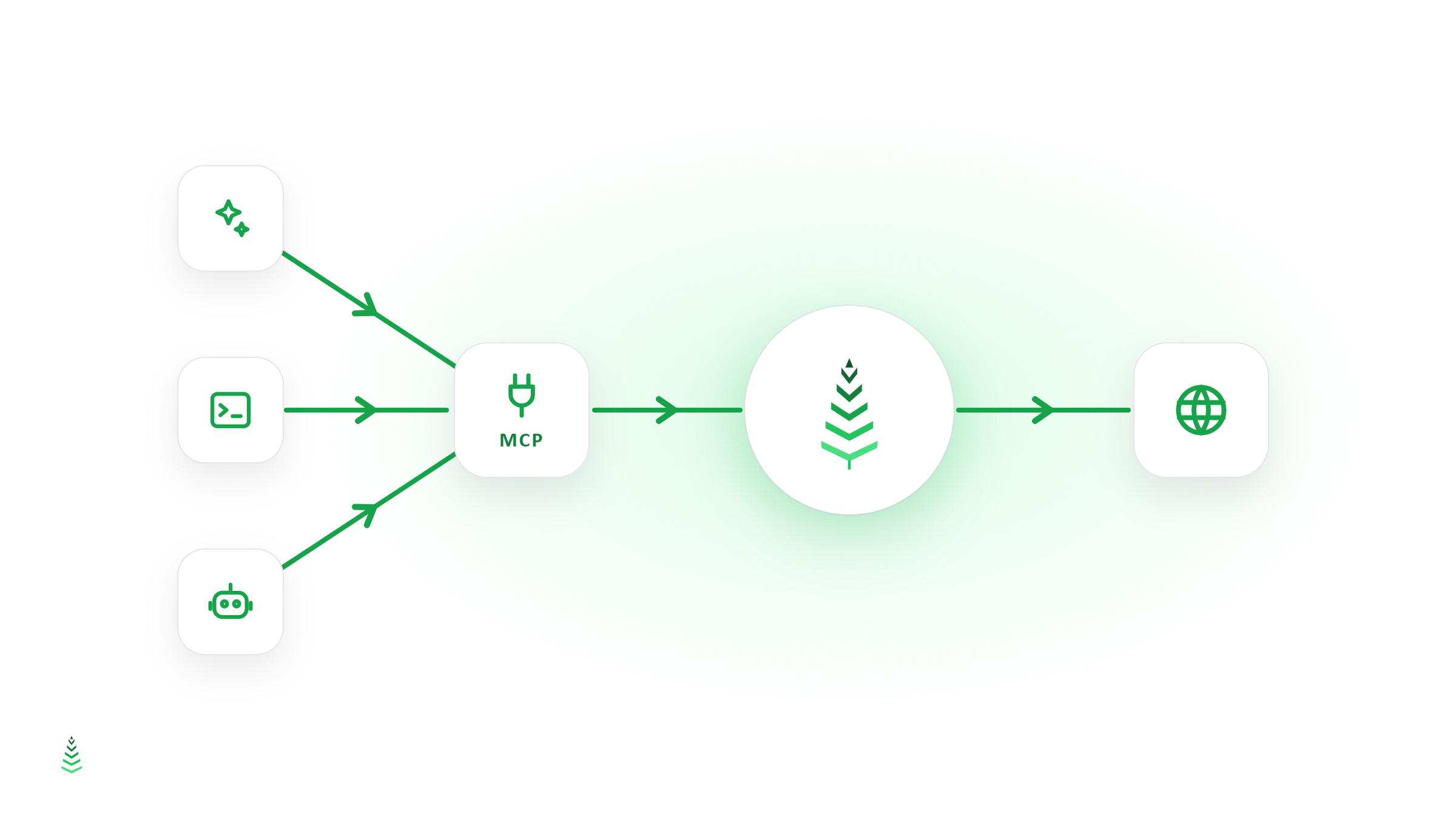
Our free cold-cache audit now publishes WebMCP tools. If you open it in a browser with an AI agent, that agent can start an audit, follow it while it runs, and read back the pages your site serves cold — without an account, an API key, or a single copy-pasted URL.
This is the other half of the story we started with our remote MCP server. Here's what changed, and why we put it on the audit rather than anywhere else.
MCP and WebMCP are two different doors
They share a name and a philosophy, and almost nothing else.
MCP is server-side. You add https://api.cache-boost.com/mcp to Claude, Cursor, or another client, authenticate with a cb_live_… key, and your assistant drives your account from anywhere. It is the right tool once you have one — it works in a terminal, in CI, at 3am.
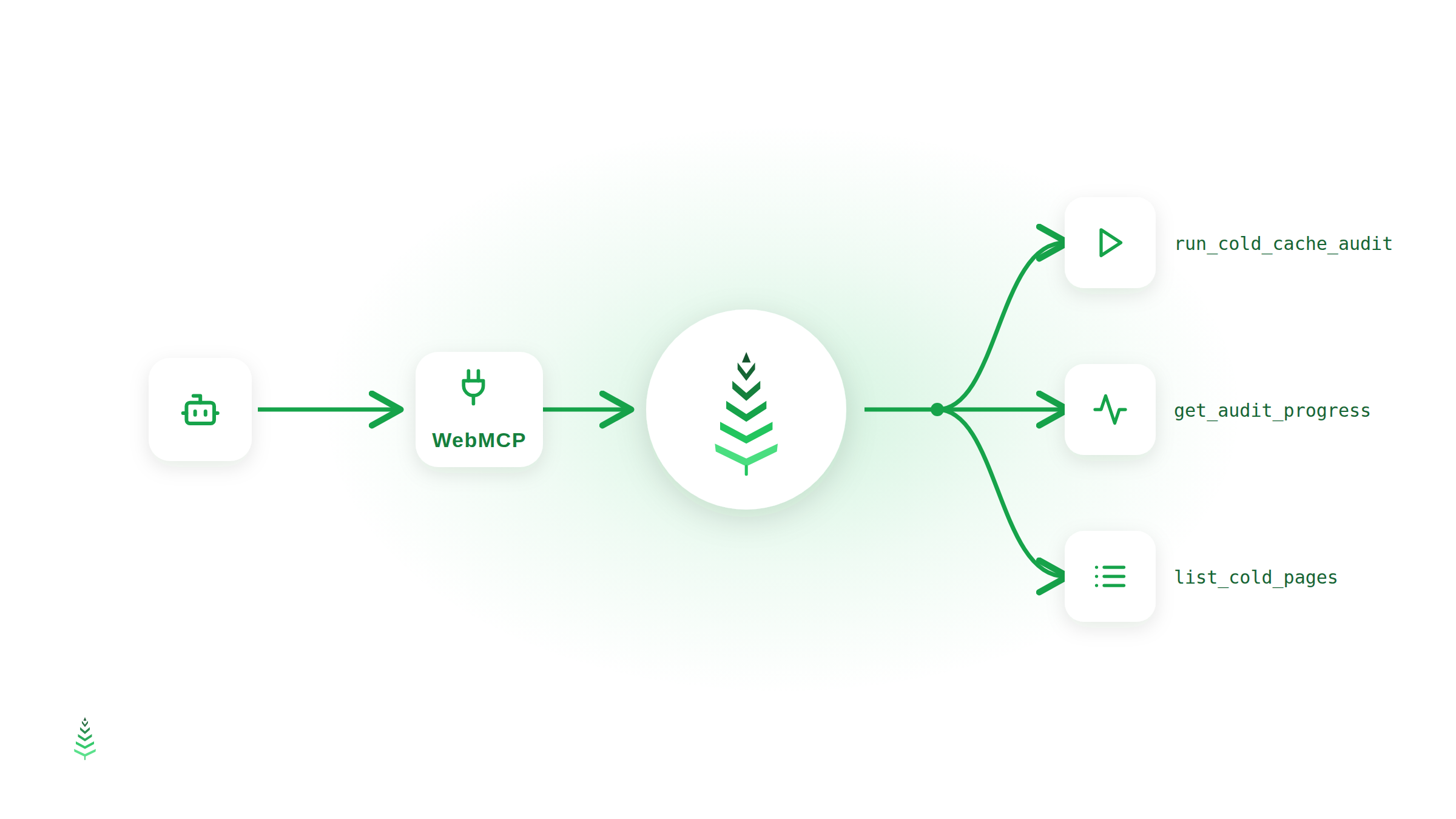
WebMCP is page-side. A web page declares tools to whatever agent is running in the browser alongside the user, through document.modelContext. There is no server to configure and no credential to issue: the tools exist while the page is open, run in the user's own session, and disappear when the tab closes.
The practical difference is who they serve. MCP serves customers. WebMCP serves the person who has not signed up yet — someone whose agent is on our page, looking at a form, with no key to authenticate with. That is exactly the audience for a free audit.
The three tools
Tools are scoped to the page that can actually perform the action, which is the WebMCP convention and also just honest: an agent should not see a button that isn't there.
| Tool | Page | What it does |
|---|---|---|
run_cold_cache_audit |
/audit |
Starts an audit for a URL, as Googlebot or GPTBot. Returns a token and a tracking URL. |
get_audit_progress |
/audit/{token} |
Status, pre-checks, URLs tested, cache-hit and cold-cache ratios, queue position, ETA. |
list_cold_pages |
/audit/{token} |
The pages served cold (cache MISS), slowest first, with HTTP status and response time. |
A session looks like this:
"Check whether cache-boost.com is served cold to ChatGPT's crawler."
The agent calls
run_cold_cache_auditwithcrawler_type: "llm", gets a token back, opens the tracking page, and pollsget_audit_progresswhile the crawl runs. When it's done, it callslist_cold_pagesand tells you which URLs GPTBot would wait on — with the numbers, not a screenshot.
The audit itself is unchanged. Same crawler, same pre-checks, same per-IP limit of five audits a day. The agent is using the product, not a special path around it.
What a page declares
The whole integration is client-side. A tool is a name, a description the model reads, a JSON Schema, and a function:
document.modelContext.registerTool({
  name: 'list_cold_pages',
  description:
    'List the pages of this audit that were served cold (cache MISS), '
    + 'slowest first, with their HTTP status and response time.',
  inputSchema: {
    type: 'object',
    properties: {
      limit: { type: 'integer', minimum: 1, maximum: 200 }
    }
  },
  execute: listColdPages
});
The description is the part that matters. It is not documentation for a developer who will read it once — it's the only thing the model has when it decides whether to call your tool. Ours say what the tool returns, what it costs, and when to call it again, because an agent that doesn't know an audit takes minutes will report a half-finished run as the result.
Being found before the visit
Tools exist only once the page has loaded and run its JavaScript. The specification makes that choice deliberately — static manifests would stop a page from offering tools that match its current state — but the trade-off is real: an agent that has never opened /audit has no way to know the audit is there.
There is no standard answer to that yet. We publish /.well-known/webmcp.json anyway: the three tools with their schemas, the page each one lives on, and a pointer to the MCP server for account holders. Be clear about what that is — a convention some registries and crawlers read, not part of the specification, and no browser looks for it. The file says so in its own note field, and a check in our repository fails if the descriptions in it drift from the ones the pages actually register. A manifest that lies about your tools is worse than no manifest.
Three decisions worth naming
The tool takes no email address. The audit form has an email field for the report. The tool has no such argument, by design — it only carries forward an address you typed yourself. An agent should not be able to sign you up for mail on your behalf, and the cheapest way to guarantee that is to give it no way to express one.
The agent's work stays visible. When a tool starts an audit, it fills the visible form with the URL and crawler it used, and shows a notice linking to the tracking page. The agent doesn't navigate you anywhere; you can see what ran and follow it yourself. An agent acting on a page should leave the page telling the truth about what happened.
Nothing is relaxed for agents. Same rate limits, same validation. When the server rejects an audit — a malformed URL, the daily limit reached — the tool returns the real reason rather than a generic failure, so the agent can tell you to come back tomorrow instead of retrying in a loop.
Where browser support actually stands
Honestly: early. WebMCP is an origin trial in Chrome through Chrome 156, and the API is still moving — the getter moved from navigator.modelContext to document.modelContext in the May 2026 spec draft, and registerTool() replaced an earlier batch call. Firefox and Safari are in the W3C discussion without shipping timelines.
So we feature-detect all of it and register nothing when the browser has no WebMCP. If your browser doesn't support it, the audit page behaves exactly as it did before: a form, a progress ring, a table. Nothing to turn off, nothing to break.
We shipped it now anyway, for the same reason we publish llms.txt and a Markdown version of every page: the agent is becoming a visitor, and a visitor that can't use your site doesn't convert. Cache warming exists because crawlers hit pages before humans do. Agent-readable tools are the same bet, one layer up.
Try it
Open the free audit in a browser with an agent and ask it to check your site. If your browser doesn't do WebMCP yet, the form works exactly as it always has — and if you already have an account, the MCP server does considerably more.